
A conversation, in your hands.
Five steps, from choosing your languages to hearing it again. Every screen here is a real screen from the app.
-
Step 1: Choose your languages.
Find yours in a list of 260+, written in its own script, then pick theirs.
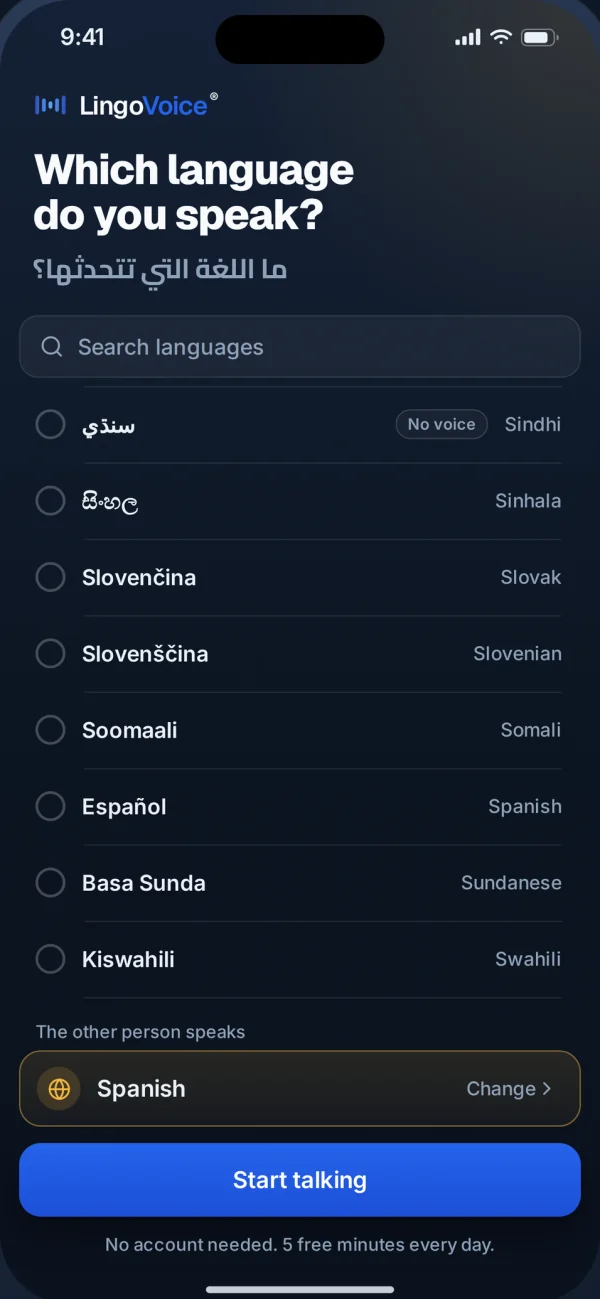
Real screen from the app -
Step 2: Put the phone between you.
The screen splits in two, and each of you gets your own half, facing you. Or use two phones: scan a QR code and each person talks into their own.
Two phones, one QR code
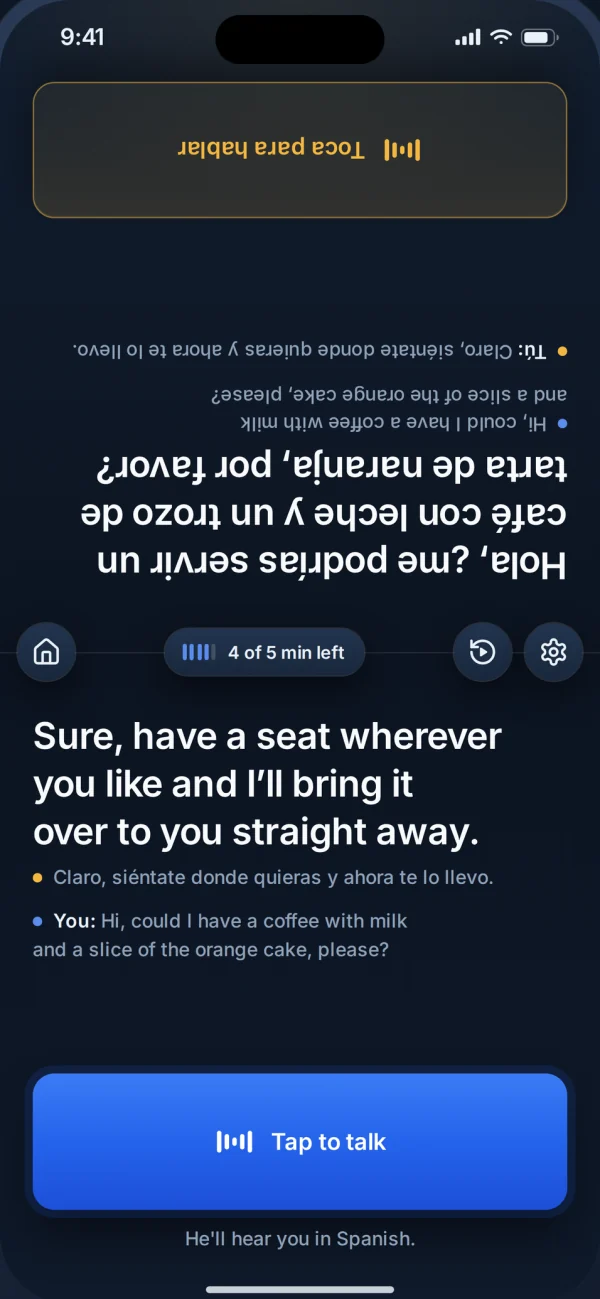
Real screen from the app -
Step 3: Tap and talk.
Tap once and speak. It stops listening by itself when you stop talking. Where speech is not available yet, type instead.
Typing in Tigrinya at a doctor's reception
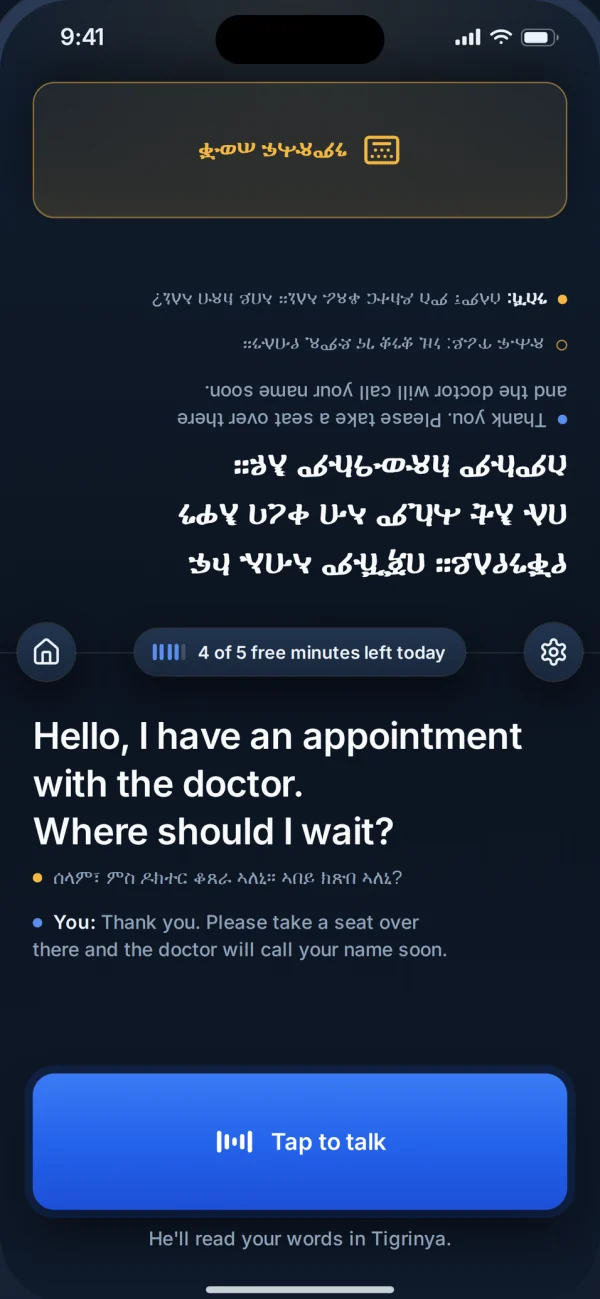
Real screen from the app -
Step 4: They hear it in their language.
Your words reach them in their own language, on their half of the screen and, in 80+ languages, out loud. Hear one for yourself.
Replay An NHS walk-in, in Pashto and English- Amina says ډاکټره، زه دری ورځې له سرخوږي څخه کړېږم
- Dr Hughes hears Doctor, I have had a headache for three days.
- Dr Hughes says I understand. Any fever, nausea, or medication?
- Amina hears زه پوهېږم. آیا تبه، زړه بدوالی یا کوم درمل شته؟
- Amina says نه تبه، خو زړه مې بدېږي
- Dr Hughes hears No fever, but I feel nauseous.
Made with LingoVoice in the browser, with real LingoVoice voices.
-
Step 5: Play it again.
Missed a word? Tap play again and hear the last translation one more time.
Dinner with family, in Egyptian Arabic
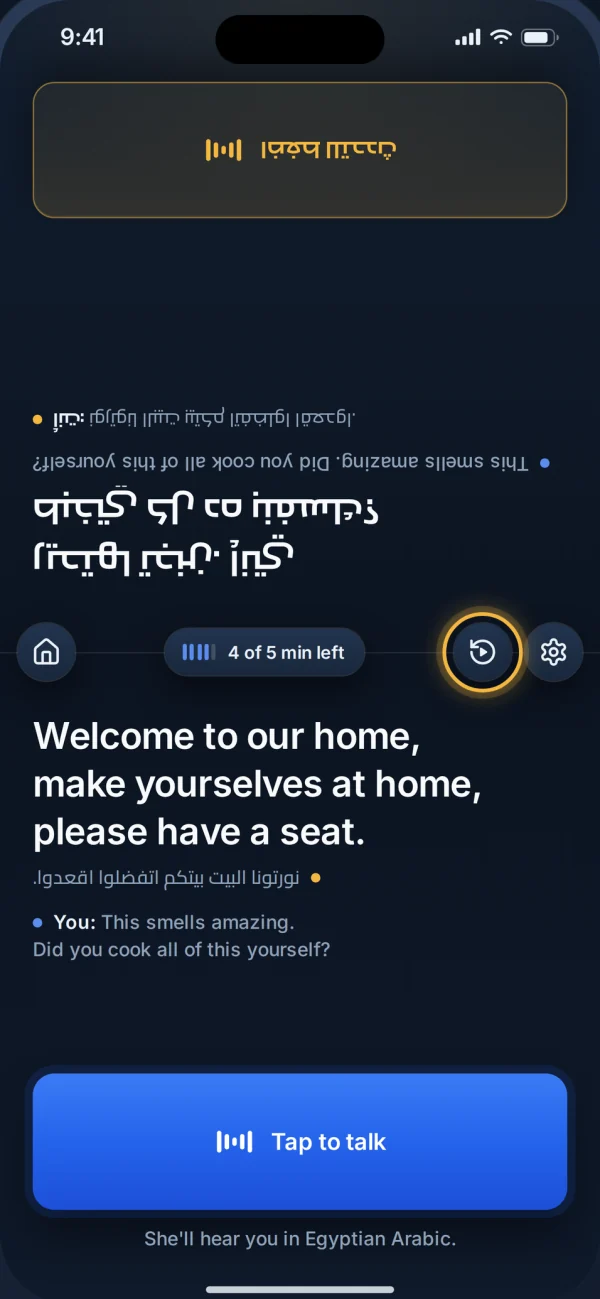
Real screen from the app
Real screens from the app